MIDI Player for Games
A powerful MIDI player designed specifically for playing custom game soundtracks with flexible key mapping and playback control.
Features
- 🎵Multiple Keymap Profiles - Create and switch between different key mappings for different games
- ⚙️Flexible Playback Control - Adjust playback speed or set target duration
- 📍Smart Note Range Handling - Automatically scale, map, or discard notes that are out of range
- 🎹Key Combinations - Support for modifier keys (Shift, Ctrl, Alt) in key mappings
- 🖥️User-Friendly GUI - Modern PyQt5 interface for easy control
- 📁Custom MIDI Directory - Browse and organize MIDI files in any folder
Requirements
- ✓ Python 3.8 or higher
- ✓ pip package manager
- ✓ Windows (Primary support)
Screenshots
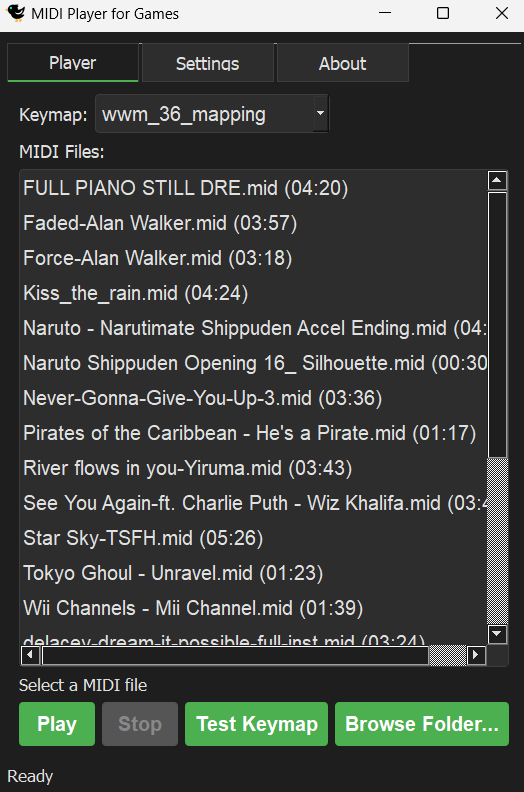
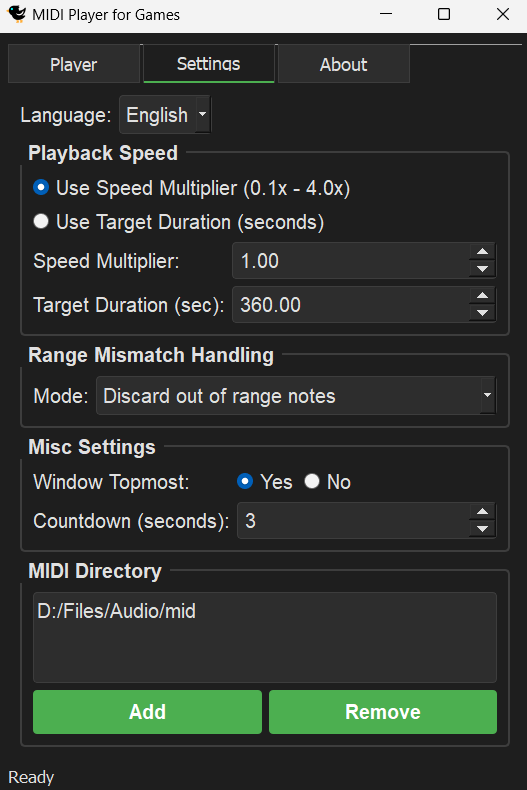
Installation
1. Clone the repository:
git clone https://github.com/keegang6705/midi-player-for-games.git
cd midi-player-for-games
2. Install required dependencies:
pip install -r requirements.txt3. Initialize Windows-specific modules (Windows only):
python -m pip install --upgrade pywin32
python Scripts/pywin32_postinstall.py -install
4. Run the GUI application:
python gui.pyLove this project?